

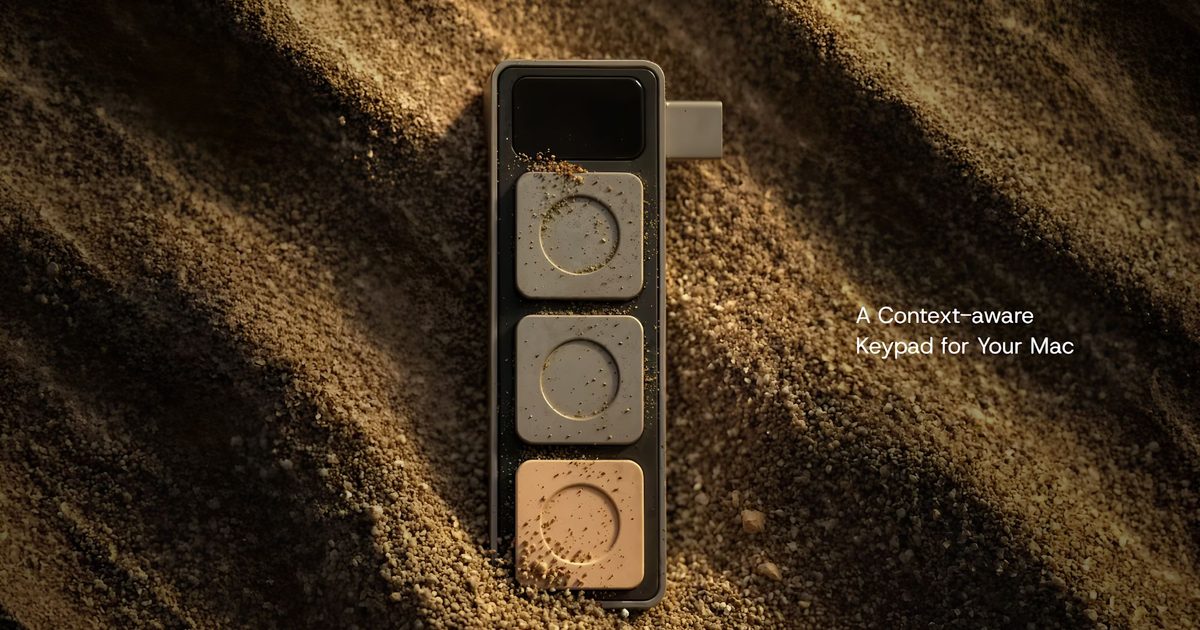
For anyone who regularly juggles multiple applications on a MacBook, remembering which keyboard shortcut does what can be a daily frustration. A new accessory called Dune, developed by startup Project Mirage, aims to solve this by adding three physical buttons that automatically adapt to whatever software is currently in use.
The device is compact and designed to sit flush against the side of a MacBook, drawing power directly from a USB-C port. No batteries or separate charging are needed. The three buttons are fully programmable and change their assigned actions based on the active application. For example, during a Zoom or Google Meet call, they can be set to mute the microphone, toggle the webcam on and off, or bring the meeting window to the front. In a spreadsheet like Excel or Numbers, the buttons become copy, paste, and undo. For developers working in Visual Studio Code or using GitHub, the buttons can trigger common code actions or commands.
This context-awareness is a key differentiator from traditional macro keypads, which require manual switching between profiles or setting global shortcuts that may conflict across apps. Dune uses a companion app to detect which application is in focus and instantly remaps the three buttons. The companion app also allows users to create custom shortcuts for any application, including actions that launch websites, open files, or execute scripts.
AI-powered customization makes automation accessible
One of the most distinctive features of Dune is its integration with Claude Desktop, a large language model from Anthropic. Instead of manually writing Python scripts to automate tasks, users can describe the desired shortcut in natural language. Claude generates the necessary code and assigns it to a button. This opens up automation to users with no programming experience, such as setting a button to send a predefined text message, run a system command, or perform a series of mouse clicks.
The companion app also integrates with calendar services. It can show upcoming meetings on the MacBook's display and allow a single button press to join a call, dismiss a reminder, or send a “running late” message. This reduces the number of steps needed to stay on top of a busy schedule.
Project Mirage has designed Dune to be model-specific, ensuring a snug fit. It is currently compatible with MacBook Air models powered by the M2 chip or newer, and MacBook Pro models featuring M1 Pro processors or later. The device requires macOS Sequoia 15 or newer.
Pricing and market positioning
Dune is available at an introductory price of US$119, with a regular retail price of US$149. At that price point, it sits between budget macro keypads (often around $30–50) and more professional devices like the Elgato Stream Deck (which starts at $90 and can go much higher). However, Dune’s slim design and integration with the MacBook’s ecosystem may appeal to users who want a seamless, portable solution without extra cables or accessories.
The hardware accessory market for MacBooks has seen steady innovation in recent years, with products like the Touch Bar (now discontinued), the Twelve South BackPack, and various USB-C hubs. Dune carves a niche by focusing specifically on shortcut automation, leveraging both traditional programming and AI to reduce the friction of repetitive tasks.
As remote and hybrid work remains common, tools that streamline video conferencing and multitasking are increasingly valuable. By combining context-aware buttons with AI-assisted creation, Dune offers a glimpse of how everyday computer interactions could become more efficient. Whether the concept gains traction will depend on how well Project Mirage expands its library of pre-built shortcuts and how quickly users adopt the natural language automation feature.
For now, Dune represents a thoughtful hardware solution to a software problem: the ever-growing list of keyboard shortcuts that most users never memorize. By making those shortcuts physical, adaptive, and easy to create, it may help MacBook owners reclaim a few seconds of productivity each day.
The device is available for order directly from Project Mirage's website. Shipping is expected to begin within a few weeks. Early reviews from tech blogs note that the build quality matches Apple’s aesthetic, with a matte finish that blends well with the MacBook's aluminum chassis.
Beyond the initial three-button layout, Project Mirage has hinted at future firmware updates that could add support for multi-press gestures and longer button holds, effectively giving each button multiple functions. The companion app already supports basic scripting, so power users can chain multiple actions to a single press.
In a world where software subscriptions dominate productivity tools, Dune is a refreshingly simple hardware purchase—one that requires no monthly fee and works offline once configured. It is a reminder that sometimes the best way to improve digital workflows is to add a physical interaction point.
Source:Digital Trends News