

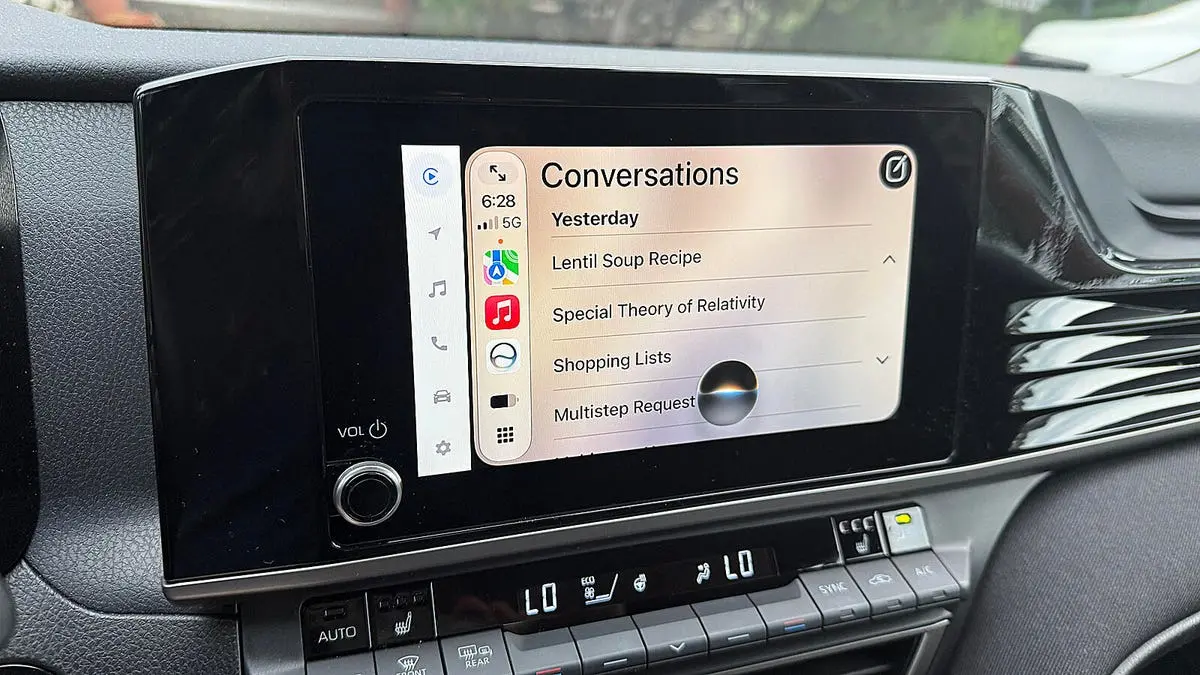
For years, iPhone users have endured the frustrations of an often-unreliable Siri. While the voice assistant can handle simple commands, it frequently fails with nuanced or multi-step requests, especially in distracting environments like a car. With the release of iOS 27, Apple has introduced a new Siri AI, powered by its Apple Intelligence platform, promising significantly improved performance. To put these claims to the test, I conducted a real-world comparison using two iPhones in my car: one running iOS 26 with the standard Siri, and another running the iOS 27 public beta with the new Siri AI. The results were revealing, with Siri AI demonstrating a clear advantage in handling complex, context-aware tasks.
It is important to note that the new Siri AI is only available on devices capable of running Apple Intelligence: iPhone 15 Pro, iPhone 15 Pro Max, all iPhone 16 models, and all iPhone 17 models. Additionally, users must install the iOS 27 public beta and ensure their iPhone is connected via Apple CarPlay to fully utilize Siri while driving. The tests below cover a range of scenarios from simple directions to educational interactions, highlighting where the new AI truly shines.
Driving Directions to a Contact
I began by asking both versions of Siri to navigate to a specific doctor listed in my contacts. I simply said, "Take me to Dr. [last name]." The iOS 26 Siri failed to consult my contacts, instead displaying a list of online search results for doctors with that surname, none of which were correct. In contrast, Siri AI immediately recognized the request as a contact lookup, retrieved the correct entry, and began routing directions. This test underscored Siri AI's improved ability to parse intent and access personal data.
Adjusting Driving Directions
After asking for directions to a destination, I then requested to avoid toll roads. The iOS 26 Siri responded by providing generic instructions on how to avoid tolls in the Maps app, but it did not modify the original route. Siri AI, however, seamlessly integrated the new request into the existing navigation, recalculating the path to bypass toll roads. This demonstrates Siri AI's enhanced conversational memory and contextual awareness.
Finding Nearby Restaurants
Both Siri versions successfully located nearby restaurants based on cuisine type. However, when I followed up with a question about ratings and reviews for the displayed restaurants, the difference was stark. iOS 26 Siri sometimes described a completely different set of restaurants based on online review summaries, losing track of the original list. Siri AI consistently provided the requested ratings for the restaurants on the screen, showing its ability to maintain context across multiple turns of conversation.
Information About Current Location
While driving through a small town, I asked each Siri to tell me something interesting about the place. The iOS 26 Siri responded that I could search the web for that information after finishing driving—a frustrating non-answer. Siri AI immediately served up several historical facts and local highlights, proving its ability to retrieve and present information in real time without deferring to a web search.
Playing Music
I requested each assistant to play music by The Beatles. The iOS 26 Siri defaulted to SiriusXM, despite my not specifying that source, and even after I clarified to use my music library, it continued to play from SiriusXM. Siri AI automatically identified and played tunes from my local library without any additional prompting. This highlights Siri AI's better understanding of user preferences and source selection.
Multi-Part Requests
Siri AI is designed to handle multi-part requests, bundling several tasks into one command. I asked it to find a recipe for lentil soup online, create a shopping list of ingredients, and text that list to me. It executed each step flawlessly, ending with the delivered text. The iOS 26 Siri cannot handle such compound requests—it would only respond to the first part and then require separate commands.
Explaining Complex Topics
When I asked both assistants to explain Einstein's special theory of relativity, the iOS 26 Siri provided a brief answer from a single web source. Siri AI, by contrast, synthesized information from multiple sources, delivered a cohesive explanation, and then suggested sub-topics for further exploration. This showcases Siri AI's ability to act as a true educational assistant, not just a query fetcher.
Playing a Game
I asked each Siri to play a game. The iOS 26 version stated it couldn't play games without opening an app. Siri AI offered to flip a coin, draw a card, roll dice, or play Rock, Paper, Scissors. When I requested a trivia game, it declined, indicating that Siri AI is currently focused on productivity rather than entertainment. While limited, this is still an improvement over standard Siri's complete refusal.
Teaching a Language
Finally, I asked each assistant to teach me a language. The iOS 26 Siri suggested searching the web later. Siri AI asked which language I wanted to learn, and upon my saying Italian, it provided basic conversational phrases with translations and explanations, continuing the lesson with additional vocabulary. This feature alone demonstrates the profound shift in capability between the two generations.
Overall, Siri AI won every test involving complexity, context, or personalization. Simple tasks were handled equally well by both, but the new AI's ability to follow multi-step instructions, maintain conversational history, and access and integrate information from various sources makes it a vastly superior driving companion. Of course, being a beta, Siri AI occasionally failed to respond or timed out, but these issues are expected to be resolved by the official September release. The gap between iOS 26 Siri and iOS 27 Siri AI is not just incremental—it is a generational leap that will significantly enhance the in-car experience for iPhone users.
Source:ZDNET News